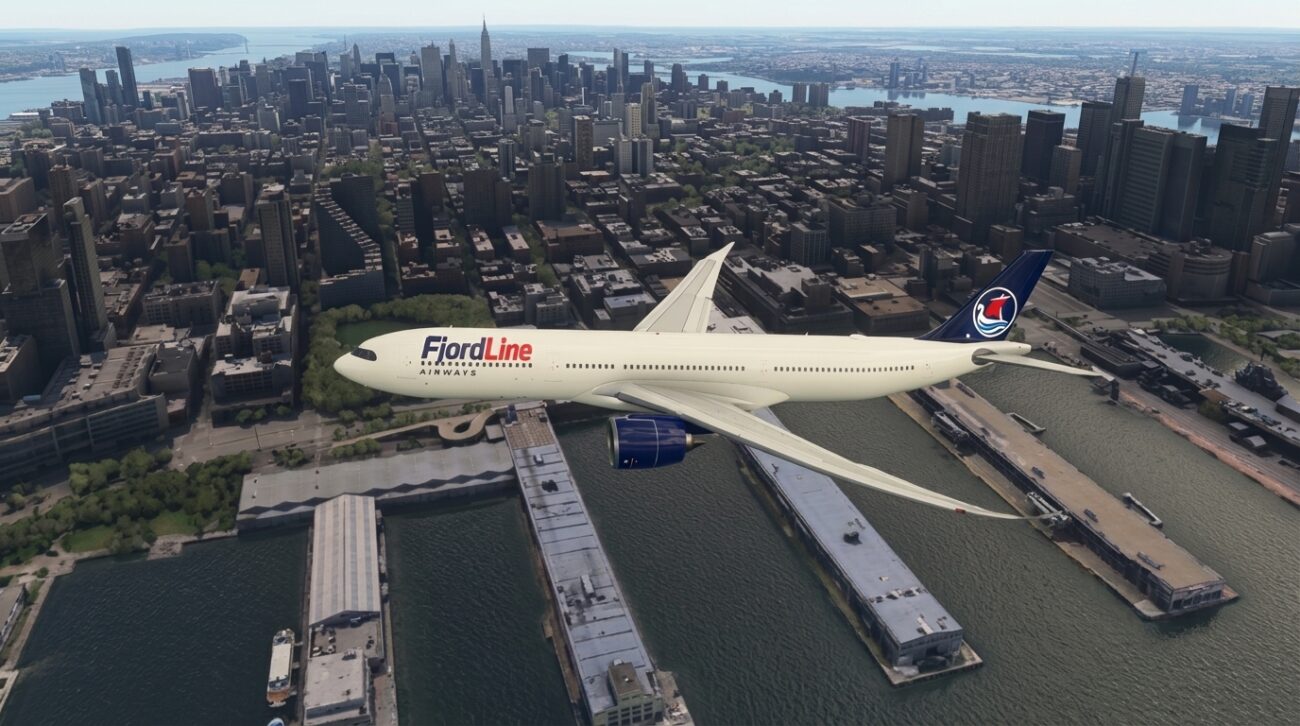
If you are a fan of long-haul virtual aviation and fly the popular Headwind Airbus A330-900neo (A339X) in Microsoft Flight Simulator 2020, we have some incredible news for you. After a successful testing period, the brand-new FjordLine Airways Livery has officially graduated from its beta phase and is now live for everyone to download!
Whether you are planning a transatlantic crossing or expanding your virtual airline (VA) route network, this release brings a fresh, professional look to your hangar.
What’s New Since the Beta?
Every creator knows that a beta phase is all about gathering community feedback, squashing minor bugs, and fine-tuning details. Thanks to everyone who tested the early builds and shared their thoughts, this official release comes with several key improvements over the beta version:
- Refined Color Accuracy: The signature FjordLine Airways color palette has been meticulously adjusted to look striking under both direct sunlight and overcast atmospheric conditions in MSFS2020.
- Texture & Alignment Polish: Minor decal stretching and alignment issues spotted during the beta test have been completely ironed out, particularly around the fuselage seams and engine cowlings.
- Optimized PBR Materials: Enhanced metallic and roughness finish maps ensure realistic light reflection on the aircraft’s body.
Key Features of the Add-on
Designed specifically for the freeware Headwind Airbus A330-900neo (ICAO: A339), this livery integrates seamlessly with the aircraft’s advanced systems (forked from the FlyByWire ecosystem).
- High-Resolution Quality: Crisp exterior markings and clean lines that look stunning in flight or parked at the gate.
- Virtual Airline Ready: Perfect for pilots flying under the FjordLine Airways banner for scheduled long-haul operations, charter flights, and VA events.
- Plug-and-Play Installation: Simple drop-and-drag setup into your simulator’s Community folder.
How to Download and Install
Getting the FjordLine Airways livery into your simulator takes less than a minute:
- Head over to the official download page on Flightsim.to:👉 Download FjordLine Airways Virtual Airline A339X Livery on Flightsim.to
- Download the ZIP file.
- Extract the folder and place it directly into your MSFS Community folder.
- Boot up Microsoft Flight Simulator 2020, select the Headwind A330-900neo, choose your new FjordLine Airways livery from the aircraft selection menu, and push back!
Clear Skies and Happy Landings!
This release marks a major milestone, and none of it would have been possible without the support and feedback from the flight sim community during the beta period. Drop a comment on the Flightsim.to page, leave a rating, and let us know how your first flight goes.
We can’t wait to see your screenshots soaring above the fjords and across the globe. See you in the virtual skies!
